Everything you copy. Readable only by you.
Pesto is a clipboard manager for macOS. It remembers what you copy, keeps it encrypted on your Mac and brings it back with Command Shift V.
Watch it workDownload for macOS 15+Download the Mac appRead the guideWatch it work
Pesto is a Mac app. Open this page on your Mac to install it.
Free and open source macOS 15 or later Encrypted on your Mac No account, no analytics, no server for your clips
Try it here: press the keys.In Pesto, the shortcut is Command Shift V.On your Mac, Command Shift V opens this shelf.
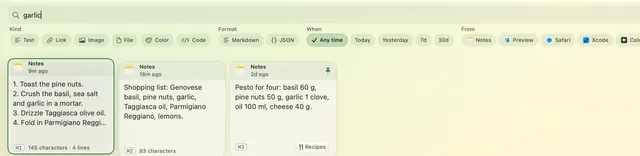
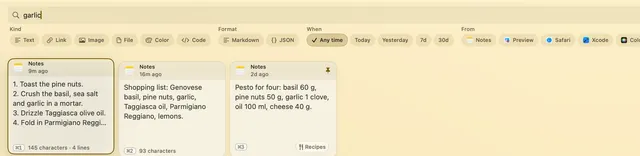
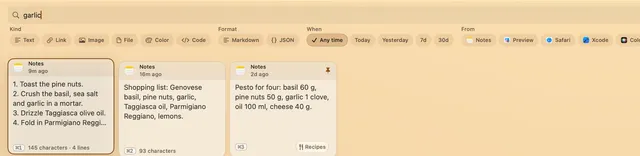
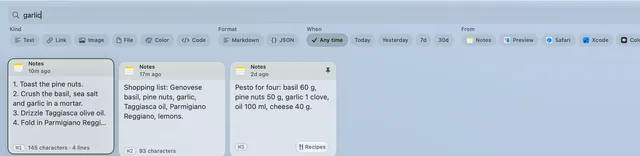
Pick a theme to see this page in it. Pesto has the same four in Settings.
Sample clips. Click a card or a filter, then try the arrow keys.Sample clips. Tap a card or a filter.
- Under 100 msfrom the shortcut to the shelf on screen
- Under 4 msper keystroke while you search 5,000 clips
- Under 150 MBof memory while it waits in the menu bar
These are the limits Pesto’s own performance tests enforce, measured by the maintainer on an Apple M5 Pro MacBook Pro with macOS 27 in October 2026.
Watch it work
The film shows Pesto in use, one step at a time, with these captions:
- You typed this three times already today.
- Command Shift V. Everything you copied.
- Snippets fill themselves in.
- Type a word. Find it.
- Secrets stay masked until you say Show.
- Select six. Paste One by One.
- Pesto does the pasting. The blending is up to you.
- Free and open source. Encrypted on your Mac.
- copypesto.net
How it works
Press Command Shift V (Command-Shift-V). Your history slides up as a shelf of clips.
Type to find a clip, or use the arrow keys.
Press Return. Pesto pastes it into the app you were using.
Type to find it
Search matches the first 500 characters of each clip, the text inside pictures and, for longer searches, meaning. It all runs on your Mac.
Or ask in a sentence. Type “links from today” and press Ask, and Pesto turns your words into filters. It uses Apple Intelligence on your Mac when it is there, and simple rules when it is not.
Keep the clips you reuse
Group clips into collections, by hand or by rules. Pin the clips you reach for. Snippets fill in placeholders when you paste. Every feature.
Collections
By hand, or smart: a rule such as links from Safari this week fills one for you.
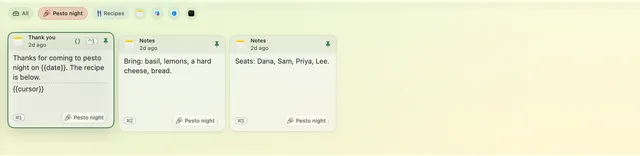
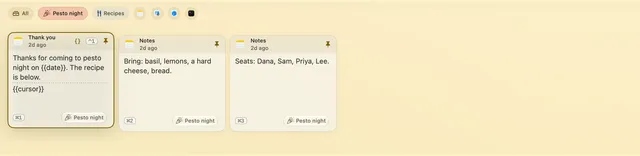
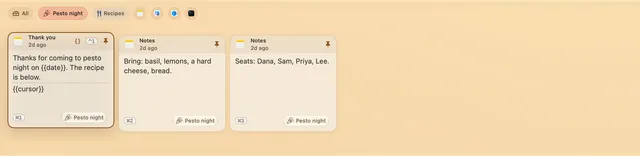
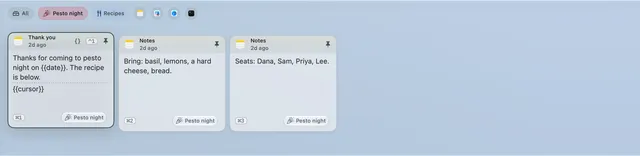
Pinned clips
Give up to nine of them their own shortcut, shown as a keycap on the clip.
Control 1Control 2Control 3…Control 9
Snippets
Placeholders fill in when you paste, and after a plain-text paste the caret lands at {{cursor}}.
{{date}}{{clipboard}}{{cursor}}
Pastes as isThanks, I’ll get back to you today.
Asks firstThanks {{input:Name}}, your order of {{input:Jars}} jars ships {{choice:Day options="Thursday|Friday"}}.
{{clipboard}} is the text on the clipboard when you paste, so “Hi {{clipboard}}” becomes “Hi Dana” after you copy a name. More placeholders.
A clipboard that remembers, and tells no one.
Encrypted on your Mac, with the key in your login Keychain. No account, no analytics, and no server that receives your clips. What Pesto stores and sends.
- You copytext, a link, a picture
- SealedAES-256-GCM, before anything is written
- On diskthe sealed copy, plus the few details the privacy page lists
- The keyrandom, in your login Keychain
A program running as you can still read what you can. What encryption does not protect.
Secrets stay masked
Anything that looks like a card number, key, token or password line is masked on its clip and left out of search by meaning. To read one, use Touch ID or your password. It stays shown until you hide it or close the shelf.
API Key7m ago
•••••••••••••• 45 characters hidden
Command 3Show
Card number12m ago
•••• •••• •••• 42424242 4242 4242 4242
Command 4
Lock it with Touch ID
Turn on the history lock and your clips stay blurred until you unlock them. It asks again 1, 5, 15 or 60 minutes after each unlock, as you choose. It stops a person at your keyboard, not a program running as you.
What leaves your Mac, listed
The Privacy pane lists the main kinds of traffic, and the privacy page walks through each. What Pesto stores and sends.
Your clips are kept on this MacWhat leaves it is listed on the privacy page.
Your clipsNot uploaded by Pesto
AI featuresRun on this Mac only
Update checksAsks Pesto’s update server; an accepted update downloads from GitHub
Link previewsOff until you turn it on; asks the linked site
Automatic backupOff by default
What Pesto does not do
The limits, in one place. What encryption does and does not protect is on the privacy page.
- No sync between your devices.
- No iPhone app.
- No cloud AI. The AI features run on your Mac.
- Not on the Mac App Store.
Switching clipboard managers? Bring your clips with you.
Pesto offers once, after setup, to bring a history over from a clipboard manager it finds. It imports from Paste, Maccy, Alfred, CleanClip, PasteNow, CopyClip, PastePal, Pastebot, Clipy, Flycut and Unclutter, from any CSV, JSON or text file, and from Raycast snippets. Each import asks for Touch ID and a file of its own. Pesto reads a copy of the library, read-only, and encrypts every clip on your Mac.
No account and no tracking. Free and open source.
Read the code that holds your clips.
Pesto is MIT licensed. Read it, build it yourself, or report a security problem privately.

Free and open source. Every feature, for everyone.
For macOS 15 or later.
Download for macOS 15+Download the Mac app
Prefer Homebrew? Run brew install michaelro/copypesto/pesto.